DT Compatibility: ✅ This mod is compatible with Dawntrail.
[CROW] TBSE Body Hair for Paws
Version: 1.0.0
Skin by Crow
;)
Author's Comments:
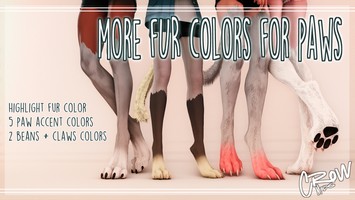
A folder of loose texture files with all combinations of fur length, fur type, and body hair type. There is A LOT so there is no modpack with all the options and you will have to import the loose files yourself.
Features:
> LOOSE FILES ONLY for:
⠀⠀> Type 0.5
⠀⠀> Type 1
⠀⠀> Type 1.5
⠀⠀> Type 2
⠀⠀> Type 3
How to use:
> Within the google drive will be folders for you to navigate through, organized by fur length and then body hair type.
> Once in the preferred folder:
⠀⠀> Pick one diffuse depending on your race (miqo and elezen pick midlander)
⠀⠀> Pick one multi depending if you use main or highlight hair color for the paws fur.
⠀⠀> Pick on normal depending on your preferred fur type.
⠀⠀> Go into the _A MAT folder and download the same options.
In Penumbra:
> Create a new modpack.
> Select the modpack and go to Advanced Editing.
> Textures tab.
> Import the diffuse.
> Click Save As Tex.
> Create a NEW folder within the penumbra mod folder.
> Save the multi and normal in that same new folder.
Here is a visual guide for importing loose files into Penumbra [https://reniguide.carrd.co/#loosefiles]
If you wish to edit textures further, I recommend my devkit
[https://drive.google.com/drive/folders/1LeMkCXyyqqhYgmjApjkCYjMHODsdzPDH?usp=sharing]
Requires:
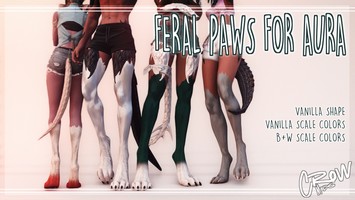
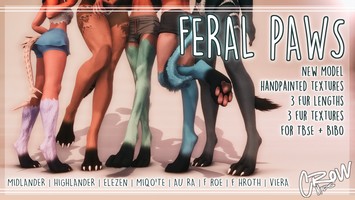
> Feral Paws base mod [https://trello.com/c/V2CPJQYD/116-feral-paws]
> TBSE [https://aetherlink.app/mods/6994949803713265664]
Permissions:
> The usual don’t steal + please credit.
⠀⠀> Optional: Please include a LINK back to [PAWS] mod page for accessibility.
> Port, upscale, edit anything you like.
> DO NOT use [PAWS] or any [PAWS] derivatives for paywalled, time gated/early access, or vaulted mods.
⠀⠀> It WILL be put on Unvaulted :D
⠀⠀> Commissions are okay.
> Privately, do what ever you want just follow the first rule!
Change Log:
> [Oct.03.24] 1.0.0 - Initial release.
Features:
> LOOSE FILES ONLY for:
⠀⠀> Type 0.5
⠀⠀> Type 1
⠀⠀> Type 1.5
⠀⠀> Type 2
⠀⠀> Type 3
How to use:
> Within the google drive will be folders for you to navigate through, organized by fur length and then body hair type.
> Once in the preferred folder:
⠀⠀> Pick one diffuse depending on your race (miqo and elezen pick midlander)
⠀⠀> Pick one multi depending if you use main or highlight hair color for the paws fur.
⠀⠀> Pick on normal depending on your preferred fur type.
⠀⠀> Go into the _A MAT folder and download the same options.
In Penumbra:
> Create a new modpack.
> Select the modpack and go to Advanced Editing.
> Textures tab.
> Import the diffuse.
> Click Save As Tex.
> Create a NEW folder within the penumbra mod folder.
> Save the multi and normal in that same new folder.
Here is a visual guide for importing loose files into Penumbra [https://reniguide.carrd.co/#loosefiles]
If you wish to edit textures further, I recommend my devkit
[https://drive.google.com/drive/folders/1LeMkCXyyqqhYgmjApjkCYjMHODsdzPDH?usp=sharing]
Requires:
> Feral Paws base mod [https://trello.com/c/V2CPJQYD/116-feral-paws]
> TBSE [https://aetherlink.app/mods/6994949803713265664]
Permissions:
> The usual don’t steal + please credit.
⠀⠀> Optional: Please include a LINK back to [PAWS] mod page for accessibility.
> Port, upscale, edit anything you like.
> DO NOT use [PAWS] or any [PAWS] derivatives for paywalled, time gated/early access, or vaulted mods.
⠀⠀> It WILL be put on Unvaulted :D
⠀⠀> Commissions are okay.
> Privately, do what ever you want just follow the first rule!
Change Log:
> [Oct.03.24] 1.0.0 - Initial release.
Primary File or Link:
Download : [ via drive.google.com ]
Other Files and Links:
- Other : [ via reniguide.carrd.co ]
- Download : [ via drive.google.com ]
- Other : [ via trello.com ]
- Other : [ via aetherlink.app ]
History:
 Loading Mod History...

Similar Mods