DT Compatibility: ✅ This mod is compatible with Dawntrail.
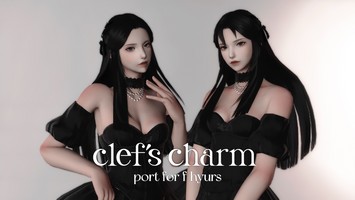
Dyeable A Half Times Two Ribbons
Version: 1.0
Hair by littleluxio
;)
Author's Comments:
IMPORTANT. YOU CAN NOW USE GLAMOURER INSTEAD OF THIS MOD.
In Glamourer:
Enable Advanced Dyes
Next to your hair, you will see a little palette
Hit It, you change the colour of Row 10A and 10B, on the 2nd tab ( Rows 9-16 )
Then save this as a preset INSTEAD OF USING THIS MOD
I'll keep the mod up anyway since theres no harm in using it
if you get stuck, look at reniguide before asking me for help with glamourer lol
I'll keep the mod up anyway since theres no harm in using it
if you get stuck, look at reniguide before asking me for help with glamourer lol
Please make sure to read the description fully before asking for help.
Makes the ribbon's colour be changeable. Comes with 7 preset colours based on colours I commonly use ( + a yellow bc it's cute ! ). Also has 2 MYO slots.
It is not hard to edit the colours. the instructions are long because they are thorough and beginner friendly.
[ INSTRUCTIONS ARE FOR PENUMBRA. DO NOT USE TEXTOOLS TO INSTALL MODS. ]
To Edit the colours ( including MYO slots )
Load the mod on your character and redraw.
Go to Advanced Editing > Materials.
Click on the Select .MTRL file... drop down. Look for the GREEN option in the list - this means that is the one loaded on your character.
When you select it, you will see several rows, look for row 10 ( it should be the only coloured row, unless you are editing B/W. )
Make sure 'Reload live preview' has been clicked and does not have a red text error next to it
Only Change the DIFFUSE Color. change it to the SAME for both A and B, unless you feel fancy.
Remember to hit 'save to file' when you are done.
To rename options
Go to Edit Mod > find the option you want to rename, and do it. yay !
To add more options
Go to Edit Mod > make a new option under 'Colour Options'. Name it whatever you want.
Go to Advanced Editing > File Redirections > make sure in the Top Right the option is on your newly created option
Go to the Materials tab and paste in the following string of text in the textbox Below the dropdown menu:
Go to the dropdown and select one of the premade options. I Suggest a MYO slot or one with a bright colour for ease of use.
Hit 'Export All Rows to Clipboard' > go back to your new option in the dropdown and hit "Import All Rows" and press save.
Adjust colours as per previous guide. Remember to hit save.
Back in file redirections, swap to your newly made option and add the following paths to your option ( it should be green )
Repeat at your hearts content.
In Glamourer:
Enable Advanced Dyes
Next to your hair, you will see a little palette
Hit It, you change the colour of Row 10A and 10B, on the 2nd tab ( Rows 9-16 )
Then save this as a preset INSTEAD OF USING THIS MOD
I'll keep the mod up anyway since theres no harm in using it
if you get stuck, look at reniguide before asking me for help with glamourer lol
I'll keep the mod up anyway since theres no harm in using it
if you get stuck, look at reniguide before asking me for help with glamourer lol
Please make sure to read the description fully before asking for help.
Makes the ribbon's colour be changeable. Comes with 7 preset colours based on colours I commonly use ( + a yellow bc it's cute ! ). Also has 2 MYO slots.
It is not hard to edit the colours. the instructions are long because they are thorough and beginner friendly.
[ INSTRUCTIONS ARE FOR PENUMBRA. DO NOT USE TEXTOOLS TO INSTALL MODS. ]
To Edit the colours ( including MYO slots )
Load the mod on your character and redraw.
Go to Advanced Editing > Materials.
Click on the Select .MTRL file... drop down. Look for the GREEN option in the list - this means that is the one loaded on your character.
When you select it, you will see several rows, look for row 10 ( it should be the only coloured row, unless you are editing B/W. )
Make sure 'Reload live preview' has been clicked and does not have a red text error next to it
Only Change the DIFFUSE Color. change it to the SAME for both A and B, unless you feel fancy.
Remember to hit 'save to file' when you are done.
To rename options
Go to Edit Mod > find the option you want to rename, and do it. yay !
To add more options
Go to Edit Mod > make a new option under 'Colour Options'. Name it whatever you want.
Go to Advanced Editing > File Redirections > make sure in the Top Right the option is on your newly created option
Go to the Materials tab and paste in the following string of text in the textbox Below the dropdown menu:
chara/human/c0201/obj/hair/h0181/material/v0001/mt_c0201h0181_acc_b.mtrl <and then hit the 2nd button on the right ( add copy of this file to [current option] )
Go to the dropdown and select one of the premade options. I Suggest a MYO slot or one with a bright colour for ease of use.
Hit 'Export All Rows to Clipboard' > go back to your new option in the dropdown and hit "Import All Rows" and press save.
Adjust colours as per previous guide. Remember to hit save.
Back in file redirections, swap to your newly made option and add the following paths to your option ( it should be green )
chara/human/c0201/obj/hair/h0181/material/v0001/mt_c0201h0181_acc_b.mtrl <101 is for males, 201 is for females. 1501 is for MHroth, 1601 is for FHroth. 201 should already be present, if it is, just ignore it.
chara/human/c0101/obj/hair/h0181/material/v0001/mt_c0101h0181_acc_b.mtrl <
chara/human/c1501/obj/hair/h0181/material/v0001/mt_c1501h0181_acc_b.mtrl <
chara/human/c1601/obj/hair/h0181/material/v0001/mt_c1601h0181_acc_b.mtrl <
Repeat at your hearts content.
History:
 Loading Mod History...

Similar Mods