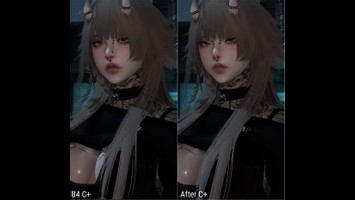
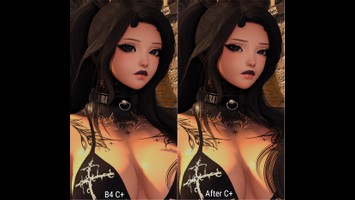
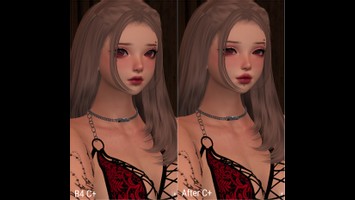
DT Compatibility: ✅ This mod is compatible with Dawntrail.
Leggerless Big AF Customize+ (C+) Pack
Version: 1.0
Racial Scaling by Leggerless
;)
Contributor Information / AI Usage:
...Yea IDK why I did all this, but here we go. Enjoy some C+ presets.
I CBA to make a proper preview at late o'clock or a ReadMe, so see "Description."
I CBA to make a proper preview at late o'clock or a ReadMe, so see "Description."
Author's Comments:
How to use!
1. Open up the file in Notepad (Notepad++ for the "fancy" people)
2. Click in the text area of the file
3. Type "Ctrl+A" to select all text
4. Type "Ctrl+C" to copy all text to clipboard
5. Open up Customize+ in FFXIV
6. Navigate to "Templates" in C+ menu (one of the tabs near top left of menu)
7. Near bottom of the left side menu, click the button that looks like a clipboard.
-- Hovering over it gives "Try to import a template from your clipboard."
8. Type in a name for the template you're copying over
9. Press the Enter key
10. Scroll or search for the template you just made; it takes the code you copied and puts it under the name you defined.
11. Voila! New C+!
-- Now you can set the template on a character in the "Profiles" submenu or edit it freely in "Templates."
Hair: https://www.xivmodarchive.com/modid/142468
Shirts: https://www.xivmodarchive.com/modid/142313
Glasses: https://www.xivmodarchive.com/modid/112067
1. Open up the file in Notepad (Notepad++ for the "fancy" people)
2. Click in the text area of the file
3. Type "Ctrl+A" to select all text
4. Type "Ctrl+C" to copy all text to clipboard
5. Open up Customize+ in FFXIV
6. Navigate to "Templates" in C+ menu (one of the tabs near top left of menu)
7. Near bottom of the left side menu, click the button that looks like a clipboard.
-- Hovering over it gives "Try to import a template from your clipboard."
8. Type in a name for the template you're copying over
9. Press the Enter key
10. Scroll or search for the template you just made; it takes the code you copied and puts it under the name you defined.
11. Voila! New C+!
-- Now you can set the template on a character in the "Profiles" submenu or edit it freely in "Templates."
Hair: https://www.xivmodarchive.com/modid/142468
Shirts: https://www.xivmodarchive.com/modid/142313
Glasses: https://www.xivmodarchive.com/modid/112067
Primary File or Link:
[Leggerless] Customize_C+_Scale_Pack_V1.zip : [ via Direct Download ]
Other Files and Links:
- Other : [ via xivmodarchive.com ]
- Other : [ via xivmodarchive.com ]
- Other : [ via xivmodarchive.com ]
History:
 Loading Mod History...

Similar Mods