DT Compatibility: ✅ This mod is compatible with Dawntrail.
Cigarette Pack Prop - Marlboro
Version: 1.0.1
Minion by soyeux
;)
Contributor Information / AI Usage:
Noahouou from sketchfab - Partial credit as a significant part of this mod is based on their work
-----------------------------------------------------------------------------------------------------------
Mods used in the preview screenshot
Ashtray Mod:
https://www.xivmodarchive.com/modid/134234
Lit & Unlit cigarette:
https://www.xivmodarchive.com/modid/114989
-----------------------------------------------------------------------------------------------------------
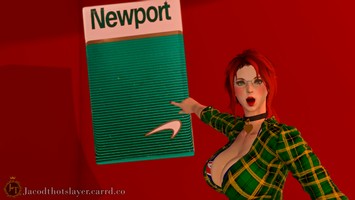
Want some Newports instead? Look no further than Jacod Thotslayer mod hereL
https://www.xivmodarchive.com/modid/156547
-----------------------------------------------------------------------------------------------------------
Mods used in the preview screenshot
Ashtray Mod:
https://www.xivmodarchive.com/modid/134234
Lit & Unlit cigarette:
https://www.xivmodarchive.com/modid/114989
-----------------------------------------------------------------------------------------------------------
Want some Newports instead? Look no further than Jacod Thotslayer mod hereL
https://www.xivmodarchive.com/modid/156547
Author's Comments:
-------------------------------------------------------------------------------------------------------------------------------------------------------------------
KNOWN ISSUE ONLY FOR V1.0 USERS : ( FIXED IN V 1.0.1 )
In version 1.0, The Ornamental Leafman ( this is the PT 10 boss ) along with its mount counter part the Ornamental Shrublet will turn nearly black with this mod enabled. This is now fixed in the newer version
-------------------------------------------------------------------------------------------------------------------------------------------------------------------
This was my first time using blender along with XIV Textool.
I spent 8-9 hours in a single day learning blender and then how to create mods XIV with zero prior experience, the possibilities that this mod is immensely scuffed are quite elevated. If you want to let me know about any possible issues with this mod, do let me know. I however cannot promise ill do anything or be able to do anything.
Hope you can enjoy it regardless :)
-------------------------------------------------------------------------------------------------------------------------------------------------------------------
This mod is a simple blender port of a package of Marlboro cigarettes, there was plenty of individual cigarette mod but not a single one offering the full package that houses them, and thus as the magnanimous being I am, I gave them shelter anew and reunited them with their brothers.
The package is huge by default, it is significantly scaled down in the thumbnail to 0.3 using brio
-------------------------------------------------------------------------------------------------------------------------------------------------------------------
PRO TIP / FAQ
( no one actually said that but you should know ):
-B-B-But this mod uses the wind-Up cursor like a million other mod replacers how am I to use all of them at once ? :(
-While in GPOSE Using brio you can simply spawn a new actor-> load the wind-up cursor with mod A - > open penumbra, Disable Mod A, Enable Mod B - > spawn a new actor-> load the wind-up cursor with mod B applied
Its that simple, you will have both mods on your screen :)
KNOWN ISSUE ONLY FOR V1.0 USERS : ( FIXED IN V 1.0.1 )
In version 1.0, The Ornamental Leafman ( this is the PT 10 boss ) along with its mount counter part the Ornamental Shrublet will turn nearly black with this mod enabled. This is now fixed in the newer version
-------------------------------------------------------------------------------------------------------------------------------------------------------------------
This was my first time using blender along with XIV Textool.
I spent 8-9 hours in a single day learning blender and then how to create mods XIV with zero prior experience, the possibilities that this mod is immensely scuffed are quite elevated. If you want to let me know about any possible issues with this mod, do let me know. I however cannot promise ill do anything or be able to do anything.
Hope you can enjoy it regardless :)
-------------------------------------------------------------------------------------------------------------------------------------------------------------------
This mod is a simple blender port of a package of Marlboro cigarettes, there was plenty of individual cigarette mod but not a single one offering the full package that houses them, and thus as the magnanimous being I am, I gave them shelter anew and reunited them with their brothers.
The package is huge by default, it is significantly scaled down in the thumbnail to 0.3 using brio
-------------------------------------------------------------------------------------------------------------------------------------------------------------------
PRO TIP / FAQ
( no one actually said that but you should know ):
-B-B-But this mod uses the wind-Up cursor like a million other mod replacers how am I to use all of them at once ? :(
-While in GPOSE Using brio you can simply spawn a new actor-> load the wind-up cursor with mod A - > open penumbra, Disable Mod A, Enable Mod B - > spawn a new actor-> load the wind-up cursor with mod B applied
Its that simple, you will have both mods on your screen :)
Primary File or Link:
Marlboros - Cigarette Pack v1-0-1.pmp : [ via Direct Download ]
Other Files and Links:
- Other : [ via xivmodarchive.com ]
- Other : [ via xivmodarchive.com ]
- Other : [ via xivmodarchive.com ]
History:
 Loading Mod History...

Similar Mods