DT Compatibility: ✅ This mod is compatible with Dawntrail.
Aurora - Simple Backup Tool for Penumbra Mods
Version: 1.4.1
Modding Tool by valanepsilon
;)
Author's Comments:
=== Aurora - Simple Backup Tool for Penumbra Mods ===
Aurora is a lightweight backup tool made for Penumbra mods.
It scans your collections, detects which mods you're actually using, and creates clean zip backups containing only those mods.
=== Do you need it ? ===
- regularly back up your mods folder (weekly / monthly) ?
- have hundreds of mods but only actively use a fraction of them regularly ?
=== About the tool ===
I originally created Aurora for my own use, but I decided to share it with the community.
It's provided as-is — feedback, suggestions and bug reports are very welcome!
The tool itself performs read-only operations when it comes to penumbra/mods files.
=== Release Notes ===
1.4.1
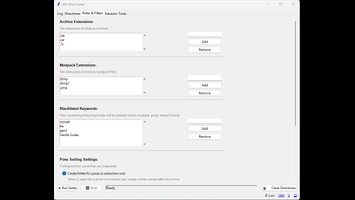
• Add compression level + output folder settings
• Rework the filters to manage both exclusion and inclusion of mods/collections
Inclusion (new) will keep mods that aren't part of any collections and backup them as if they were
1.3.0
• Parse the mods list from the collections folder instead of sort_order.json (which isn't used anymore since Penumbra v1.6.x).
1.2.0
• Added logging aurora.log (If you run into any issues, please check this file, it will help fix things)
• Fixed bug where mods with folder names different from their Penumbra mod name were missed/not detected
• Fixed Refresh button
• Added unit tests
• Various stability fixes
1.1.1
• Some UI quick fixes
1.1.0
• Added available disk space checking
• Prevents backup (both CLI & UI) if there isn't enough free space
1.0.0
• Initial release
• Available as both CLI and graphical UI versions
Aurora is a lightweight backup tool made for Penumbra mods.
It scans your collections, detects which mods you're actually using, and creates clean zip backups containing only those mods.
=== Do you need it ? ===
- regularly back up your mods folder (weekly / monthly) ?
- have hundreds of mods but only actively use a fraction of them regularly ?
=== About the tool ===
I originally created Aurora for my own use, but I decided to share it with the community.
It's provided as-is — feedback, suggestions and bug reports are very welcome!
The tool itself performs read-only operations when it comes to penumbra/mods files.
=== Release Notes ===
1.4.1
• Add compression level + output folder settings
• Rework the filters to manage both exclusion and inclusion of mods/collections
Inclusion (new) will keep mods that aren't part of any collections and backup them as if they were
1.3.0
• Parse the mods list from the collections folder instead of sort_order.json (which isn't used anymore since Penumbra v1.6.x).
1.2.0
• Added logging aurora.log (If you run into any issues, please check this file, it will help fix things)
• Fixed bug where mods with folder names different from their Penumbra mod name were missed/not detected
• Fixed Refresh button
• Added unit tests
• Various stability fixes
1.1.1
• Some UI quick fixes
1.1.0
• Added available disk space checking
• Prevents backup (both CLI & UI) if there isn't enough free space
1.0.0
• Initial release
• Available as both CLI and graphical UI versions
History:
 Loading Mod History...

Similar Mods