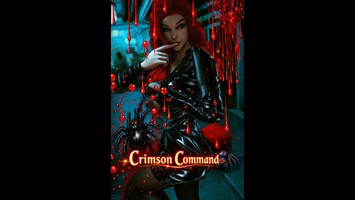
DT Compatibility: ✅ This mod is compatible with Dawntrail.
This mod is a Pose mod, and therefore requires a Posing tool such as Anamnesis or Ktisis to use.
Hemomancer’s Reach
Version: 1.0
Pose by salimosaldian
;)
AI Usage: None
Author's Comments:
You already know how my system with layers and placing works, so I won’t go too deep into it. Just the important part:
I’ve added the blood‑drop PNG for you – but this time it comes with a frame.
If you don’t want that frame, because the drops might become too large, you can simply remove it.
Here’s how you do it:
Upload the image you want to edit.
Add the PNG as a new layer on top.
Erase the frame completely.
Now you can duplicate, move, and scale the layer however you like.
This way, the frame is gone, but the drops stay intact.
Important:
If you erase some drops in the first layer and then duplicate that layer,
the erased drops will also be missing in the copy.
So if you need the full set of drops again:
→ load the PNG again
→ remove the frame again
→ continue editing.
Have fun creating ❤️
I’ve added the blood‑drop PNG for you – but this time it comes with a frame.
If you don’t want that frame, because the drops might become too large, you can simply remove it.
Here’s how you do it:
Upload the image you want to edit.
Add the PNG as a new layer on top.
Erase the frame completely.
Now you can duplicate, move, and scale the layer however you like.
This way, the frame is gone, but the drops stay intact.
Important:
If you erase some drops in the first layer and then duplicate that layer,
the erased drops will also be missing in the copy.
So if you need the full set of drops again:
→ load the PNG again
→ remove the frame again
→ continue editing.
Have fun creating ❤️
History:
 Loading Mod History...

Similar Mods