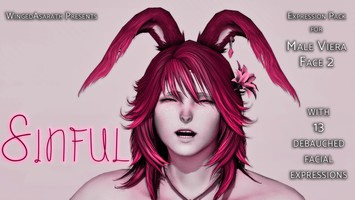
DT Compatibility: ❌ This mod does NOT work in Dawntrail, and is entirely non-functional. It will be eventually removed if not updated by the author.
Facialized Eorzeans
Version: 1.0
NSFW Face by BreatFR
;)
Author's Comments:
Request by an IRL friend.
The pic and name of the mod explain well I think. XD
Come with 4 types. By default they replaces the Make up 1 but you can change it by renaming the file.
You'll need TexTools to install this mod.
How to install :
1°) Download the ZIP file and extract it where you want
2°) Open Textools and go to Character > Make Up
3°) Click ... next to Export and choose PNG only and go to Saved folder (by default it's : C:\Users\YOUR_NAME\Documents\TexTools\Saved\Character\Makeup)
4°) Replace the "_decal_1.png" just exported by 1 of my ZIP file
5°) Come back in Textools and click Import
6°) Enjoy :)
All my mods : https://mods.breat.fr
Support me :
 https://ko-fi.com/breatfr
 https://www.paypal.me/breat
The pic and name of the mod explain well I think. XD
Come with 4 types. By default they replaces the Make up 1 but you can change it by renaming the file.
You'll need TexTools to install this mod.
How to install :
1°) Download the ZIP file and extract it where you want
2°) Open Textools and go to Character > Make Up
3°) Click ... next to Export and choose PNG only and go to Saved folder (by default it's : C:\Users\YOUR_NAME\Documents\TexTools\Saved\Character\Makeup)
4°) Replace the "_decal_1.png" just exported by 1 of my ZIP file
5°) Come back in Textools and click Import
6°) Enjoy :)
All my mods : https://mods.breat.fr
Support me :
https://ko-fi.com/breatfr https://www.paypal.me/breat
Primary File or Link:
ff14-facialized-eorzeans.zip : [ via Direct Download ]
Other Files and Links:
- Other : [ via mods.breat.fr ]
- Other : [ via ko-fi.com ]
- Other : [ via paypal.me ]
History:
 Loading Mod History...

Similar Mods
Got Milk ? Face Paint For Talls...
Type: Face
Genders: Unisex
30.5K (8)
7.0K
98