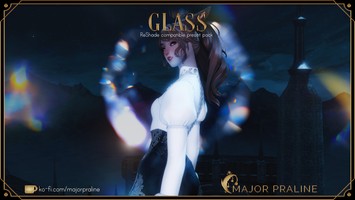
DT Compatibility: ✅ This mod is compatible with Dawntrail.
True Eorzea ReShade Presets
Version: 3
Reshade Preset by Goblin 𖧧 Rags
;)
;)
;)
;)
;)
;)
;)
Contributor Information / AI Usage:
𝗜𝗻𝘀𝘁𝗮𝗹𝗹𝗮𝘁𝗶𝗼𝗻 𝗮𝗻𝗱 𝗛𝗲𝗹𝗽
(most of this stuff isn't required if you've already actively been using ReShade without issue, but you may require installing the RESTXIV add-on if you haven't already)
If you have duplicate cinetools_lut.fx, delete the one not in the PD80 folder.
➼ 𝗥𝗲𝗦𝗵𝗮𝗱𝗲 𝟲.𝟬+ 𝗔𝗱𝗱-𝗼𝗻 𝗥𝗲𝗽𝗼 https://www.mediafire.com/folder/8ar1jhh1809cl/ReShade_Repository#x5ib0b2o3jr46
Recommended installing 𝟲.𝟭.𝟭 with add-on support
➼ During ReShade effect installation, click '𝗨𝗻𝗰𝗵𝗲𝗰𝗸 𝗮𝗹𝗹,' then click it again, selecting '𝗖𝗵𝗲𝗰𝗸 𝗮𝗹𝗹'. - 𝘛𝘩𝘪𝘴 𝘪𝘴 𝘧𝘰𝘳 𝘵𝘩𝘰𝘴𝘦 𝘸𝘩𝘰 𝘯𝘦𝘷𝘦𝘳 𝘮𝘪𝘨𝘳𝘢𝘵𝘦𝘥 𝘧𝘳𝘰𝘮 𝘎𝘚𝘩𝘢𝘥𝘦 𝘵𝘰 𝘙𝘦𝘚𝘩𝘢𝘥𝘦.
➼ To install these presets, unzip the archive and drag reshade-shaders and reshade-presets into your game folder (𝗙𝗜𝗡𝗔𝗟 𝗙𝗔𝗡𝗧𝗔𝗦𝗬 𝗫𝗜𝗩 𝗢𝗻𝗹𝗶𝗻𝗲/𝗴𝗮𝗺𝗲).
• 𝗜𝗻𝘀𝘁𝗮𝗹𝗹𝗶𝗻𝗴 𝘁𝗵𝗲 𝗥𝗘𝗦𝗧 𝗮𝗱𝗱-𝗼𝗻 •
➼ To not have weird particles and an unaffected UI, this add-on is 𝗻𝗲𝗲𝗱𝗲𝗱 'https://github.com/4lex4nder/ReshadeEffectShaderToggler-FFXIV'
➼ Simply follow the instructions provided on the GitHub but to reiterate, extract only 𝗥𝗲𝘀𝗵𝗮𝗱𝗲𝗘𝗳𝗳𝗲𝗰𝘁𝗦𝗵𝗮𝗱𝗲𝗿𝗧𝗼𝗴𝗴𝗹𝗲𝗿.𝗶𝗻𝗶 from RESTXIV and 𝗥𝗲𝘀𝗵𝗮𝗱𝗲𝗘𝗳𝗳𝗲𝗰𝘁𝗦𝗵𝗮𝗱𝗲𝗿𝗧𝗼𝗴𝗴𝗹𝗲𝗿.𝗮𝗱𝗱𝗼𝗻𝟲𝟰 from the REST release.zip (found under "Requirements") to your game folder (𝗙𝗜𝗡𝗔𝗟 𝗙𝗔𝗡𝗧𝗔𝗦𝗬 𝗫𝗜𝗩 𝗢𝗻𝗹𝗶𝗻𝗲/𝗴𝗮𝗺𝗲).
➼ If 𝗗𝗲𝗽𝘁𝗵 𝗼𝗳 𝗙𝗶𝗲𝗹𝗱 is borked, select Edit global preprocessor definitions in the UI and change the third option to 1 from 0. (Reshade_depth_input_is_reversed)
Big thanks to Ipsusu's troubleshooting guide: https://github.com/ipsusu/ipsuShade?tab=readme-ov-file#troubleshooting-and-common-issues-updated-for-dawntrail-graphics-update
(most of this stuff isn't required if you've already actively been using ReShade without issue, but you may require installing the RESTXIV add-on if you haven't already)
If you have duplicate cinetools_lut.fx, delete the one not in the PD80 folder.
➼ 𝗥𝗲𝗦𝗵𝗮𝗱𝗲 𝟲.𝟬+ 𝗔𝗱𝗱-𝗼𝗻 𝗥𝗲𝗽𝗼 https://www.mediafire.com/folder/8ar1jhh1809cl/ReShade_Repository#x5ib0b2o3jr46
Recommended installing 𝟲.𝟭.𝟭 with add-on support
➼ During ReShade effect installation, click '𝗨𝗻𝗰𝗵𝗲𝗰𝗸 𝗮𝗹𝗹,' then click it again, selecting '𝗖𝗵𝗲𝗰𝗸 𝗮𝗹𝗹'. - 𝘛𝘩𝘪𝘴 𝘪𝘴 𝘧𝘰𝘳 𝘵𝘩𝘰𝘴𝘦 𝘸𝘩𝘰 𝘯𝘦𝘷𝘦𝘳 𝘮𝘪𝘨𝘳𝘢𝘵𝘦𝘥 𝘧𝘳𝘰𝘮 𝘎𝘚𝘩𝘢𝘥𝘦 𝘵𝘰 𝘙𝘦𝘚𝘩𝘢𝘥𝘦.
➼ To install these presets, unzip the archive and drag reshade-shaders and reshade-presets into your game folder (𝗙𝗜𝗡𝗔𝗟 𝗙𝗔𝗡𝗧𝗔𝗦𝗬 𝗫𝗜𝗩 𝗢𝗻𝗹𝗶𝗻𝗲/𝗴𝗮𝗺𝗲).
• 𝗜𝗻𝘀𝘁𝗮𝗹𝗹𝗶𝗻𝗴 𝘁𝗵𝗲 𝗥𝗘𝗦𝗧 𝗮𝗱𝗱-𝗼𝗻 •
➼ To not have weird particles and an unaffected UI, this add-on is 𝗻𝗲𝗲𝗱𝗲𝗱 'https://github.com/4lex4nder/ReshadeEffectShaderToggler-FFXIV'
➼ Simply follow the instructions provided on the GitHub but to reiterate, extract only 𝗥𝗲𝘀𝗵𝗮𝗱𝗲𝗘𝗳𝗳𝗲𝗰𝘁𝗦𝗵𝗮𝗱𝗲𝗿𝗧𝗼𝗴𝗴𝗹𝗲𝗿.𝗶𝗻𝗶 from RESTXIV and 𝗥𝗲𝘀𝗵𝗮𝗱𝗲𝗘𝗳𝗳𝗲𝗰𝘁𝗦𝗵𝗮𝗱𝗲𝗿𝗧𝗼𝗴𝗴𝗹𝗲𝗿.𝗮𝗱𝗱𝗼𝗻𝟲𝟰 from the REST release.zip (found under "Requirements") to your game folder (𝗙𝗜𝗡𝗔𝗟 𝗙𝗔𝗡𝗧𝗔𝗦𝗬 𝗫𝗜𝗩 𝗢𝗻𝗹𝗶𝗻𝗲/𝗴𝗮𝗺𝗲).
➼ If 𝗗𝗲𝗽𝘁𝗵 𝗼𝗳 𝗙𝗶𝗲𝗹𝗱 is borked, select Edit global preprocessor definitions in the UI and change the third option to 1 from 0. (Reshade_depth_input_is_reversed)
Big thanks to Ipsusu's troubleshooting guide: https://github.com/ipsusu/ipsuShade?tab=readme-ov-file#troubleshooting-and-common-issues-updated-for-dawntrail-graphics-update
Author's Comments:
Created to capture the world of Eorzea and beyond with clarity and vibrance, True Eorzea includes options for both 𝗰𝗶𝗻𝗲𝗺𝗮𝘁𝗶𝗰 purposes and an enhanced 𝗴𝗮𝗺𝗲𝗽𝗹𝗮𝘆 experience.
―――――
𝗣𝗿𝗲𝘀𝗲𝘁𝘀
―――――
𝗟𝗶𝗳𝗲 • A cooler palette for added realism and a natural, balanced look
𝗗𝗮𝘄𝗻 • Warm and vibrant colours without being too intense
𝗘𝘁𝗵𝗲𝗶𝗿𝘆𝘀 • Stronger effects for a more stylized and cinematic atmosphere
―――――――
𝗟𝗲𝗴𝗮𝗰𝘆 𝗣𝗿𝗲𝘀𝗲𝘁𝘀
―――――――
(included under files)
These presets are outdated but are still useable, they are stronger than most of the current presets so they're provided for preference.
○ 𝗨𝗙𝗮𝗻𝘁𝗮𝘀𝘆 & 𝗨𝗥𝗲𝗮𝗹
○ 𝗧𝗿𝘂𝗲 𝗘𝗼𝗿𝘇𝗲𝗮 & 𝗙𝗮𝗻𝘁𝗮𝘀𝘆
―――――――――――――――
𝗜𝗺𝗽𝗼𝗿𝘁𝗮𝗻𝘁 𝗡𝗼𝘁𝗲 • 𝗖𝘂𝘀𝘁𝗼𝗺𝗶𝘇𝗮𝘁𝗶𝗼𝗻
―――――――――――――――
○ To remove the 𝗹𝗲𝘁𝘁𝗲𝗿𝗯𝗼𝘅 on cinematic presets uncheck the "Border" effect.
○ Under the 𝗟𝗨𝗧 effect, change "chroma" and "luma" for preference, I recommend mostly changing Chroma for colour.
○ For better 𝗽𝗲𝗿𝗳𝗼𝗿𝗺𝗮𝗻𝗰𝗲 consider turning off DoF, MXAO, Depthhaze/Fog and Bloom effects on presets.
○ CinematicDoF uses mouse driven auto-focus therefore it is recommended to switch to ADoF outside of gpose - 𝘦𝘥𝘪𝘵 𝘍𝘰𝘤𝘢𝘭 𝘓𝘦𝘯𝘨𝘵𝘩 & 𝘈𝘱𝘦𝘳𝘵𝘶𝘳𝘦 𝘧𝘰𝘳 𝘱𝘳𝘦𝘧𝘦𝘳𝘦𝘯𝘤𝘦
○ For ideal 𝗗𝗲𝗽𝘁𝗵 𝗼𝗳 𝗙𝗶𝗲𝗹𝗱 (ADoF) change "Far Blur Curve" between 1.200 and 2.000, the latter value making the background less blurred. Additionally, change "Hyperfocal Depth Distance" between 0.02 and 0.06 to change how close the camera must be for Blur.
✗• Please do not reupload or share close edits of Umami presets on other sites as a lot of effort went into fine-tuning them, thank you.
☆ 𝗘𝗻𝗷𝗼𝘆!
―――――
𝗣𝗿𝗲𝘀𝗲𝘁𝘀
―――――
𝗟𝗶𝗳𝗲 • A cooler palette for added realism and a natural, balanced look
𝗗𝗮𝘄𝗻 • Warm and vibrant colours without being too intense
𝗘𝘁𝗵𝗲𝗶𝗿𝘆𝘀 • Stronger effects for a more stylized and cinematic atmosphere
―――――――
𝗟𝗲𝗴𝗮𝗰𝘆 𝗣𝗿𝗲𝘀𝗲𝘁𝘀
―――――――
(included under files)
These presets are outdated but are still useable, they are stronger than most of the current presets so they're provided for preference.
○ 𝗨𝗙𝗮𝗻𝘁𝗮𝘀𝘆 & 𝗨𝗥𝗲𝗮𝗹
○ 𝗧𝗿𝘂𝗲 𝗘𝗼𝗿𝘇𝗲𝗮 & 𝗙𝗮𝗻𝘁𝗮𝘀𝘆
―――――――――――――――
𝗜𝗺𝗽𝗼𝗿𝘁𝗮𝗻𝘁 𝗡𝗼𝘁𝗲 • 𝗖𝘂𝘀𝘁𝗼𝗺𝗶𝘇𝗮𝘁𝗶𝗼𝗻
―――――――――――――――
○ To remove the 𝗹𝗲𝘁𝘁𝗲𝗿𝗯𝗼𝘅 on cinematic presets uncheck the "Border" effect.
○ Under the 𝗟𝗨𝗧 effect, change "chroma" and "luma" for preference, I recommend mostly changing Chroma for colour.
○ For better 𝗽𝗲𝗿𝗳𝗼𝗿𝗺𝗮𝗻𝗰𝗲 consider turning off DoF, MXAO, Depthhaze/Fog and Bloom effects on presets.
○ CinematicDoF uses mouse driven auto-focus therefore it is recommended to switch to ADoF outside of gpose - 𝘦𝘥𝘪𝘵 𝘍𝘰𝘤𝘢𝘭 𝘓𝘦𝘯𝘨𝘵𝘩 & 𝘈𝘱𝘦𝘳𝘵𝘶𝘳𝘦 𝘧𝘰𝘳 𝘱𝘳𝘦𝘧𝘦𝘳𝘦𝘯𝘤𝘦
○ For ideal 𝗗𝗲𝗽𝘁𝗵 𝗼𝗳 𝗙𝗶𝗲𝗹𝗱 (ADoF) change "Far Blur Curve" between 1.200 and 2.000, the latter value making the background less blurred. Additionally, change "Hyperfocal Depth Distance" between 0.02 and 0.06 to change how close the camera must be for Blur.
✗• Please do not reupload or share close edits of Umami presets on other sites as a lot of effort went into fine-tuning them, thank you.
☆ 𝗘𝗻𝗷𝗼𝘆!
Primary File or Link:
TE Presets.zip : [ via Direct Download ]
Other Files and Links:
- Umami legacy presets.zip : [ via Direct Download ]
- Download : [ via mediafire.com ]
- Other : [ via github.com ]
- Other : [ via github.com ]
History:
 Loading Mod History...
Similar Mods